


There is a lot of noise about AI replacing developers. From where I’m sitting—building a WordPress-based e-learning platform—that’s the wrong way to look at it. AI isn’t replacing me; it’s allowing me to operate with the output of a three-person team.
I’ve reached a point where I don’t just “use” AI; I orchestrate it. Success in 2026 isn’t just about writing code; it’s about knowing which AI to put in which “seat” and how to tune their “personalities” to fit the job.
Finding the Right “Rapport”
One of my early lessons was that Gemini excels at “humanity,” but it needs a leash. I recently asked it to generate trading tutorials using metaphors and analogies to explain the emotional side of market decisions.
It did it too well. It started pulling in movie references and obscure personalities that not everyone would know. It was clever, but it was “too much.” That was a turning point for me: I realized I had to establish a rapport with the tool, setting “levels” for its personality so it stays relatable without becoming a distraction.
My Digital Staff
I’ve learned to treat these tools as specialists rather than a single “magic button”:
-
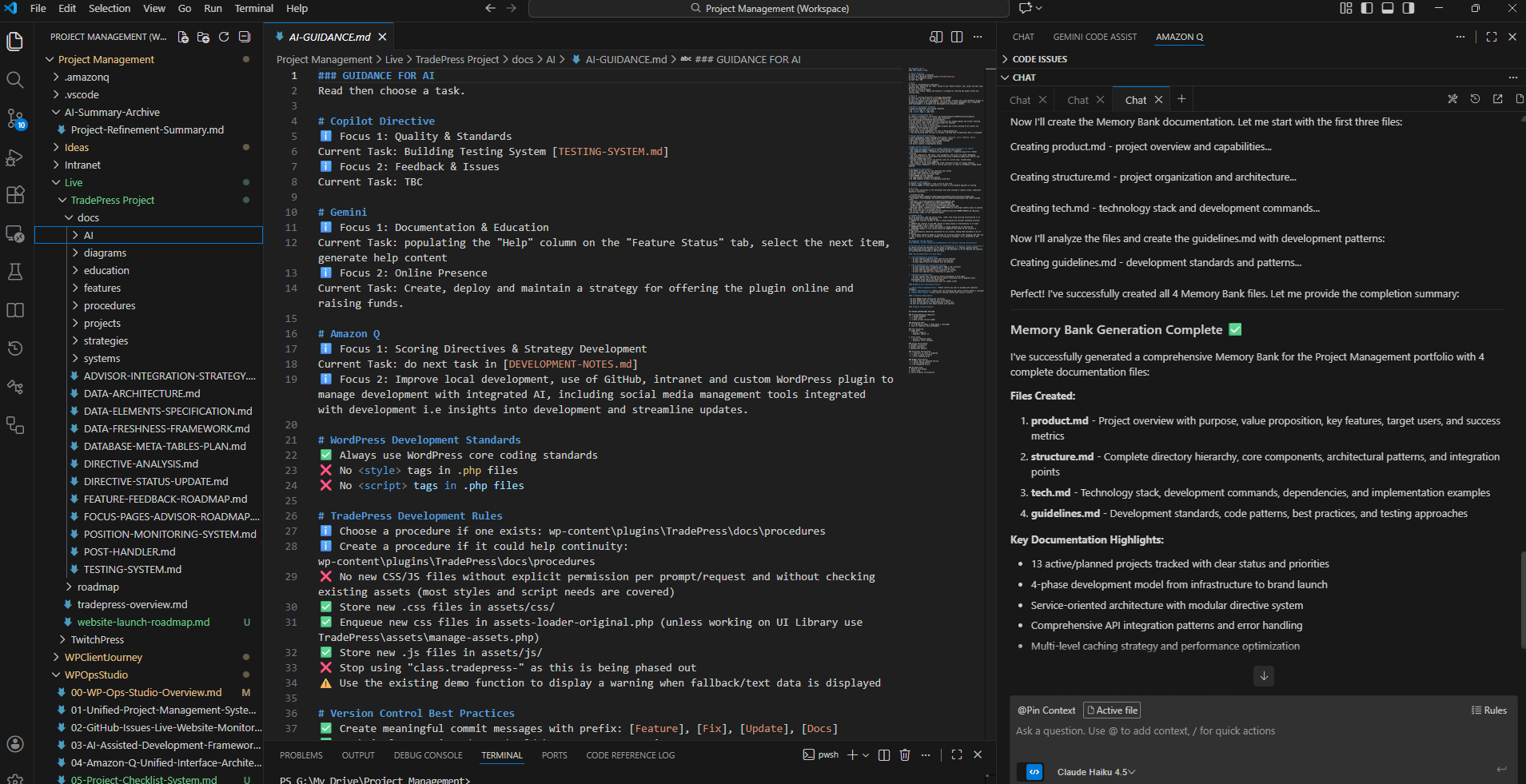
Amazon Q (The Architect): This is my powerhouse for codebase complexity. It handles hundreds of files, roadmaps, and tasks with outstanding speed. It understands the “gravity” of the WordPress core and stays strictly within its standards.
-
Gemini (The Communicator): This is for the e-learning content and documentation. Its writing style is naturally close to my own—clean, professional English—but it brings a creative flair that makes technical tutorials actually engaging.
-
GitHub Copilot (The Tactical Specialist): I keep Copilot for surgical, single-file logic. It’s for when I need a quick answer to a specific coding hurdle.
The “Dual-Repository” Strategy
I’ve structured my VS Code workspace to keep my “brains” separate from my “bricks.”
I use a two-folder system:
-
The Plugin Files: The actual production code.
-
The Documentation/Roadmap: A separate repository where the AI can brainstorm, generate tasks, and guide itself (and me) without the risk of accidentally altering versioned code.
This setup also acts as my professional “insurance policy.” While I prefer my workstation, I’ve ensured that I can access these tools—like Copilot on the web—from anywhere. If my main PC fails, my “team” is still reachable. It’s as much about disaster recovery as it is about daily efficiency.
Moving the Needle
The real goal here isn’t just to write code faster. It’s to use the “God View”—an overview document that points the AI at my GitHub issues across all projects—to help me prioritize. I don’t just ask, “How do I fix this?” I ask, “What should I do next to grow the business?”
I’m determined to avoid letting these tools compete within my workflow. Instead, they form a powerful, distinct toolbox that lets a solo developer move with the weight of a firm.
